

progeCAD Professional
Best Value 2D/3D .DWG CAD

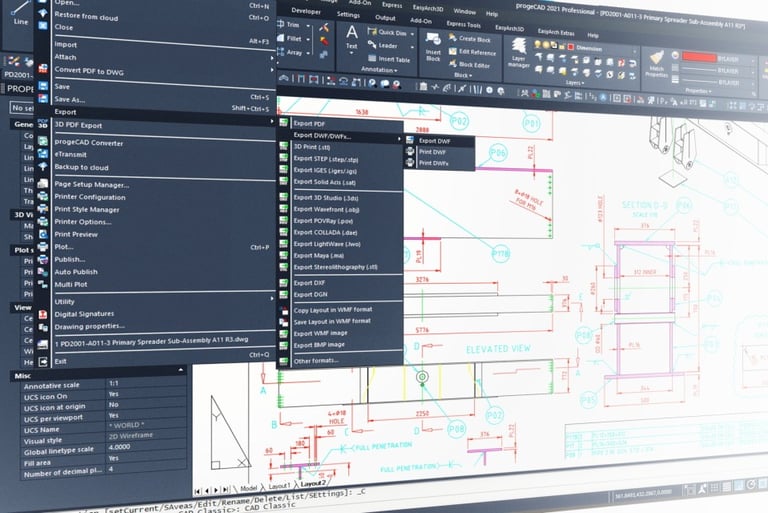
progeCAD Professional is an AutoCAD compatible 2D/3D CAD application that works with AutoCAD DWG files from v2.5 to v2023 and imports Autodesk Revit and IFC files. The best solution for AEC, MCAD and all generic CAD usages. progeCAD is sold with perpetual license at a fraction of the cost of AutoCAD.
progeCAD Professional
progeCAD Indonesia
LIMOV is Indonesian Authorized Distributor of progeCAD software. In fact, we were early progeCAD user and seller in Indonesia since 2009. Because we are an EPC company, we have engineers with hands-on experience in real-world applications of progeCAD. That’s why we can provide you with better technical support and we understand your need better than anyone.
Best Value for Businesses
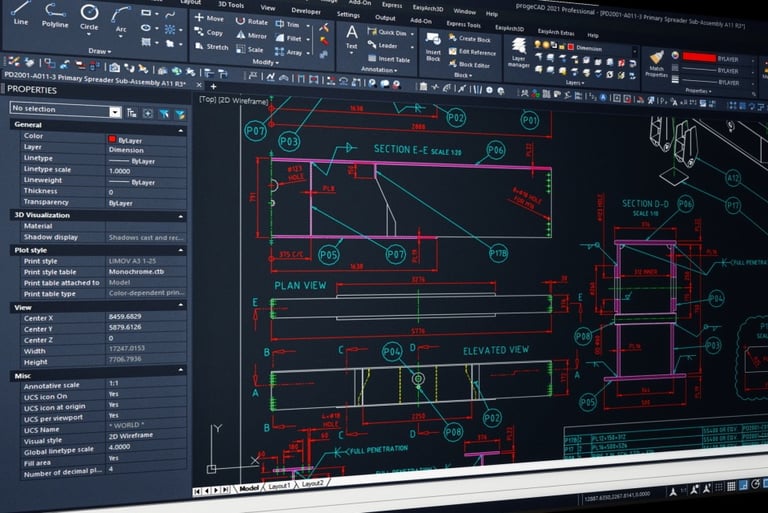
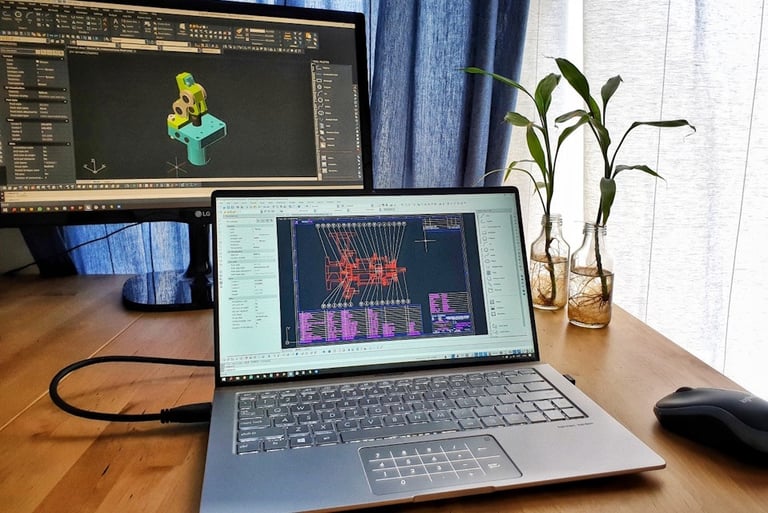
The first thing you notice in progeCAD Professional is the familiar User Interface. If you are AutoCAD users, you can use progeCAD. It has the same commands and workflows. No training required.
You can open, view, and edit your old AutoCAD .DWG files in progeCAD. The switch to progeCAD is easy. Your company will save both CAD software budget and training budget.
Why progeCAD?
AutoCAD Compatible
The Best AutoCAD Alternative
progeCAD Professional license is perpetual. No annual subscription fee. You have full control of your own CAD software budget. You decide when to upgrade.
Using progeCAD will help your company on License Compliance while keep your operating expense as low as possible. This is very important factor in making a sustainable and steady business.
Perpetual License
Powerful Export/Import
Export files: STEP, IGES, PDF, DWF, 3DS, DAE (Collada), STL, LWO, POV, MA (Maya), OBJ (Wavefront), BMP, JPG, WMF, EMF, SVG.
3D printing: Export STL for 3D Printer output.
Import files: STEP, IGES, IFC, Rvt/Rfa (Revit), SolidWorks .sldprt (Part) and .sldasm (Assembly), ESRI-SHAPE SHP, 3DS, DGN (Microstation), LWO, OBJ, STL, IFC, RGT, DXF, DWF, DWFx.
Import BIM from Autodesk Revit.
Import PointCloud: ReCap .rcp, .rcs, .pcg, .isd, .xyz, .ply, .las, .laz.
Convert PDF to DWG.
progeCAD Professional works with a large number of file formats:
Uninstall progeCAD from the original PC to comply with the licensing regulations. The uninstallation can be performed in the traditional way through the Windows Control panel.
To enable the license on a new PC, simply install and activate progeCAD. A warning message will appear during the activation process reminding you about the license terms.
Note that the progeCAD license is not transferable to other users or companies.
Easy License Transfer
Transfer progeCAD to Another PC


If things can go wrong, it will. When unpredictable problems happen to your computers and workstations, progeCAD has the solutions to keep your license safe. Here are five ways to transfer your progeCAD license.
No operation is required before formatting.
After formatting, simply install and activate progeCAD.
A warning message will appear during the activation process reminding about the license terms.
Disk Formatting
Disk Change through Cloning
If you replace the Hard Drive Disk of your computer through its cloning (for example, switching to the Solid-State Drive or SSD), after having cloned the disk and launched progeCAD, there will appear an error message with the code CF0x08 (new activation required).
Simply repeat the activation process by going to “PROGECAD CENTER” > click the button “REGISTER PROGECAD” to register and activate progeCAD. A warning message will also appear during the activation process to remind you about the license terms.
Change of PC
If the old computer remains functional, it is necessary to uninstall progeCAD to comply with the single licensing regulations. The uninstallation can be performed in the traditional way through the Windows Control panel.
In case the computer is totally dismantled, no operation is required. Install and activate progeCAD on your new computer, a warning message will appear to remind you about the license terms.
Disk/PC Crash
Simply install and activate progeCAD. A warning message will appear during the activation process reminding about the license terms.
progeCAD Indonesia Users
Architecture
PT Catur Inti Dinamika
PT Fiako Enjiniring Indonesia
PT HNT Konsultan Indonesia
PT Sinar Baru Konstruksi
PT Tarumanegara Bumiyasa
PT Teknometal Konstruksi Utama
PT Tensindo Kreasi Nusantara
PT Ting Tai Konstruksi Indonesia
Many Indonesian companies, organizations, and professionals have adopted progeCAD through LIMOV. Join our rapidly growing community and start saving cost without compromising the quality of your works.
Civil
CV ConArch Bangun Sejahtera
CV Selaras Interior Design
ESA International
PT Duta Cermat Mandiri (Denton Corker Marshall group)
Education
Fakultas Teknik Mesin dan Dirgantara ITB
Indonesian Drafting School
Food and Beverage
PT Daesang Ingredients Indonesia (MIWON)
PT Jebe Koko (JB Cocoa)
PT Lautan Natural Krimerindo
PT Kaldu Sari Nabati Indonesia (RICHEESE)
Industrial
PT Boccard Indonesia
PT Cryogas Indonesia
PT Daimn
PT Eltameko Karya Mandiri
PT EPCM SDJ Heat Exchangers
PT Hamon Indonesia
PT Hansa Plant Service
PT Jakarta Prima Cranes
PT Jala Prima Engineering
PT John Cockerill Hamon
PT Mazhak Teknik Indonesia
PT Pacific Process Engineering
PT Timuraya Tunggal
PT Weiss Tech
Manufacturing
PT Agrinusa Jaya Santosa (JAPFA)
PT Citra Tubindo Tbk.
PT Elastis Reka Aktif
PT Hansa Pratama
PT Himalaya Transmeka
PT Indal Reiwa Auto (MASPION)
PT Indonusa Agrijaya (JAPFA)
PT Indospring Tbk.
PT Rkindo Parts Manufacturing
PT Santosa Utama Lestari (JAPFA)
PT Sumi Indonesia Indo Kabel Tbk.
PT Uticon Jaya Laksana Elektrik Industri (UTICON)
Marine
Kemsa (Far East) Pte. Ltd.
PT Adidaya Energy Mandiri
PT Kemenangan (KEMAN)
PT Testamen Daya Tangguh
Mechanical/Electrical
PT Himalaya Everest Jaya
PT Lam Jagar Natio
PT Sigma Kreasi Instrument
PT Sumberdaya Sewatama
Mining
PT Kaltim Prima Coal (KPC)
Oil and Gas
PT Pakarti Tirtoagung
PT Perta Daya Gas
PT Tri Panji Puring
Precision Part
CV Dino Solusi Metal
CV Master Engineering
CV Mitsutama Technology
PT Adyras Putra Techno
PT Alko Mitra Global
PT Anugerah Guna Mandiri Teknologi
PT Granada Mitra Bersama
PT Kawai NIP
PT Kinerja Dinamika Nusantara
PT Mirka Diraya Abirupa
PT Sinergi Metal Teknik
Real Estate
PT CFLD Tangerang
PT Karyagraha Nusantara
PT Karyaprima Utamasukses
Steel Fabrication
PT Inasa Wahana Lestari
PT Mudalaya Energy Indonesia
Miscellaneous
Badan Pengkajian dan Penerapan Teknologi (BPPT)
Mawar Sharon Church
PT Cakra Buana Jaya
PT Senora Putera Mandiri
And counting...


Indonesia Authorized Distributor
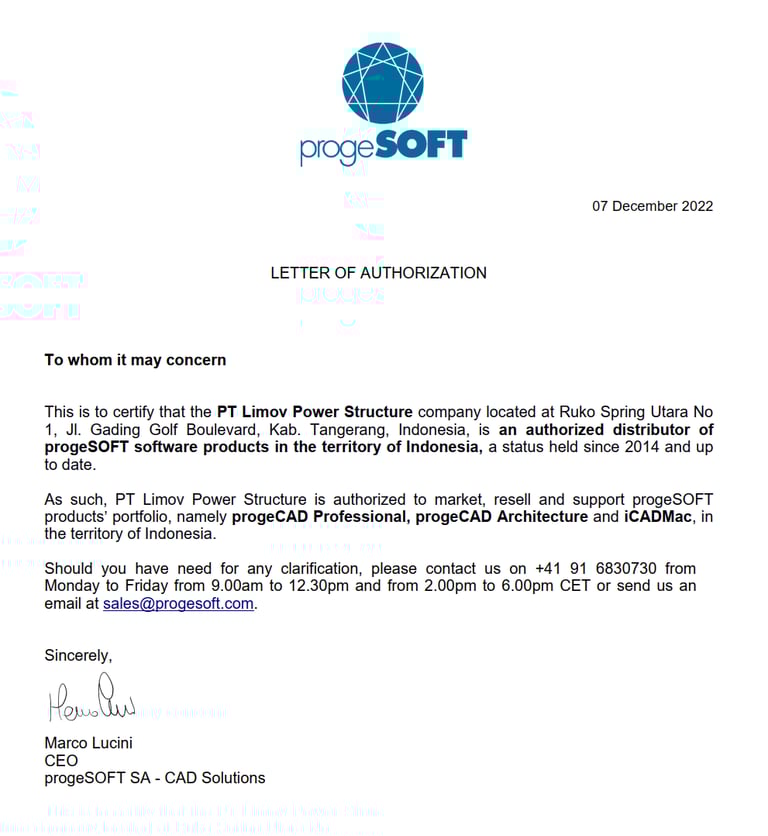
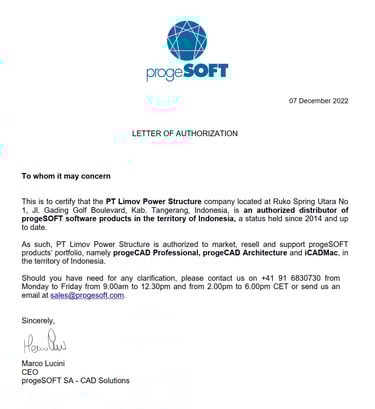
LIMOV has been holding the status of progeCAD Authorized Distributor for Indonesia since 2014. We are equally committed to both our customers and our principals, progeSOFT SA. Our after-sales service team is directly backed up by our principal so that we can give you the best and fastest support. When you buy progeCAD or iCADMac from LIMOV, you don’t have to worry about losing your license due to PC operating system error or hardware failure.
Here is company’s expense simulation when they use progeCAD Professional Standalone License. This simulation assumes the company does upgrade every three years. progeCAD upgrade is not mandatory. You can choose not to upgrade if you think the old version is still good for your job.
Cost Saving


1st year expense: Rp8.500.000 (New License).
4th year expense: Rp5.900.000 (Upgrade on 4th year).
7th year expense: Rp5.900.000 (Upgrade on 7th year).
Total cost for the first 9 years: Rp20.300.000.
Average annual cost: Rp2.300.000 per license.
Best Value Perpetual License .DWG CAD
Indonesia Distributor
PT LIMOV POWER STRUCTURE
Ruko Spring Utara No. 1, Jalan Gading Golf Boulevard, Summarecon Serpong, Banten 15332, Indonesia
info@limovpower.com
+62 821-7583-7780
Follow Us
Get the latest update about our CAD Technology.
© 2026 LIMOV. All rights reserved.