

progeCAD Professional
Best Value 2D/3D .DWG CAD

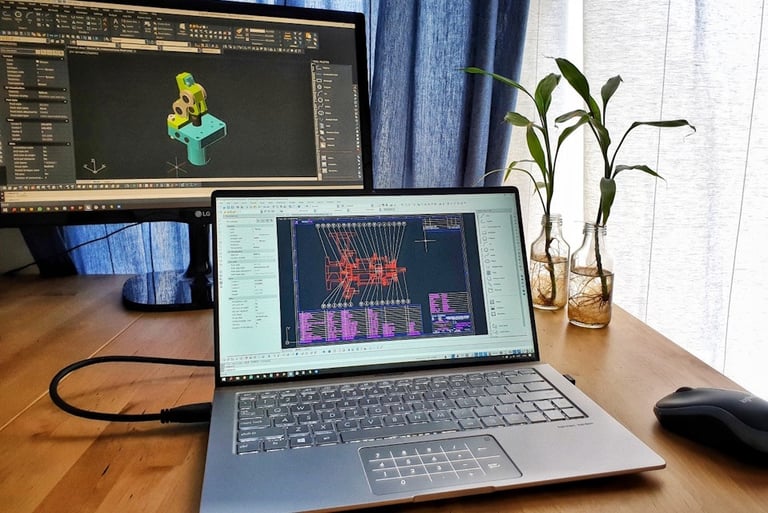
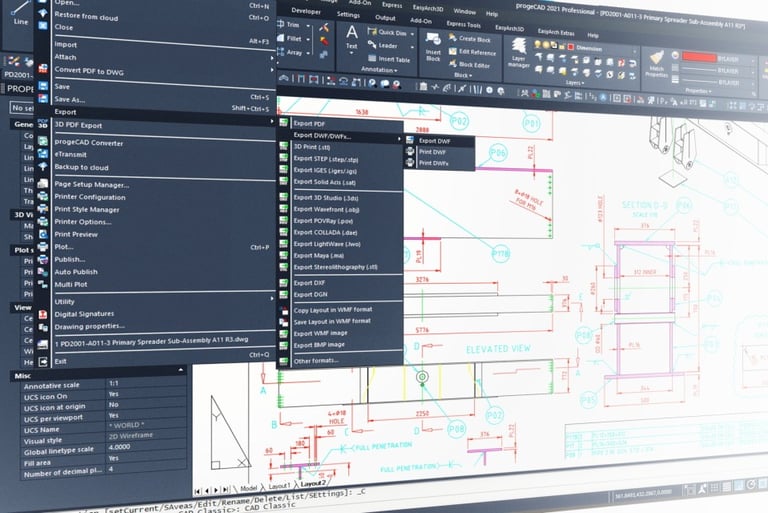
progeCAD Professional is an AutoCAD compatible 2D/3D CAD application that works with AutoCAD DWG files from v2.5 to v2023 and imports Autodesk Revit and IFC files. The best solution for AEC, MCAD and all generic CAD usages. progeCAD is sold with perpetual license at a fraction of the cost of AutoCAD.
progeCAD Professional
progeCAD Indonesia
LIMOV is Indonesian Authorized Distributor of progeCAD software. In fact, we were early progeCAD user and seller in Indonesia since 2009. Because we are an EPC company, we have engineers with hands-on experience in real-world applications of progeCAD. That’s why we can provide you with better technical support and we understand your need better than anyone.
Best Value for Businesses
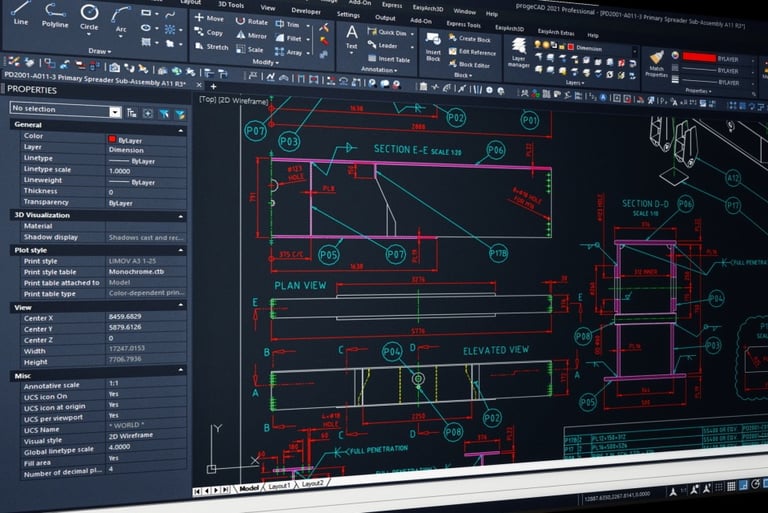
The first thing you notice in progeCAD Professional is the familiar User Interface. If you are AutoCAD users, you can use progeCAD. It has the same commands and workflows. No training required.
You can open, view, and edit your old AutoCAD .DWG files in progeCAD. The switch to progeCAD is easy. Your company will save both CAD software budget and training budget.
Why progeCAD?
AutoCAD Compatible
The Best AutoCAD Alternative
progeCAD Professional license is perpetual. No annual subscription fee. You have full control of your own CAD software budget. You decide when to upgrade.
Using progeCAD will help your company on License Compliance while keep your operating expense as low as possible. This is very important factor in making a sustainable and steady business.
Perpetual License
Powerful Export/Import
Export files: STEP, IGES, PDF, DWF, 3DS, DAE (Collada), STL, LWO, POV, MA (Maya), OBJ (Wavefront), BMP, JPG, WMF, EMF, SVG.
3D printing: Export STL for 3D Printer output.
Import files: STEP, IGES, IFC, Rvt/Rfa (Revit), SolidWorks .sldprt (Part) and .sldasm (Assembly), ESRI-SHAPE SHP, 3DS, DGN (Microstation), LWO, OBJ, STL, IFC, RGT, DXF, DWF, DWFx.
Import BIM from Autodesk Revit.
Import PointCloud: ReCap .rcp, .rcs, .pcg, .isd, .xyz, .ply, .las, .laz.
Convert PDF to DWG.
progeCAD Professional works with a large number of file formats:
Uninstall progeCAD from the original PC to comply with the licensing regulations. The uninstallation can be performed in the traditional way through the Windows Control panel.
To enable the license on a new PC, simply install and activate progeCAD. A warning message will appear during the activation process reminding you about the license terms.
Note that the progeCAD license is not transferable to other users or companies.
Easy License Transfer
Transfer progeCAD to Another PC


If things can go wrong, it will. When unpredictable problems happen to your computers and workstations, progeCAD has the solutions to keep your license safe. Here are five ways to transfer your progeCAD license.
No operation is required before formatting.
After formatting, simply install and activate progeCAD.
A warning message will appear during the activation process reminding about the license terms.
Disk Formatting
Disk Change through Cloning
If you replace the Hard Drive Disk of your computer through its cloning (for example, switching to the Solid-State Drive or SSD), after having cloned the disk and launched progeCAD, there will appear an error message with the code CF0x08 (new activation required).
Simply repeat the activation process by going to “PROGECAD CENTER” > click the button “REGISTER PROGECAD” to register and activate progeCAD. A warning message will also appear during the activation process to remind you about the license terms.
Change of PC
If the old computer remains functional, it is necessary to uninstall progeCAD to comply with the single licensing regulations. The uninstallation can be performed in the traditional way through the Windows Control panel.
In case the computer is totally dismantled, no operation is required. Install and activate progeCAD on your new computer, a warning message will appear to remind you about the license terms.
Disk/PC Crash
Simply install and activate progeCAD. A warning message will appear during the activation process reminding about the license terms.
Here is company’s expense simulation when they use progeCAD Professional Standalone License:
Cost Saving


1st year expense: Rp 7.600.000 (New License).
4th year expense: Rp 5.300.000 (Upgrade on 4th year).
7th year expense: Rp 5.300.000 (Upgrade on 7th year).
Total cost for the first 9 years: Rp 18.200.000.
Average annual cost: Rp 2.022.222 per license.
Indonesia Authorized Distributor
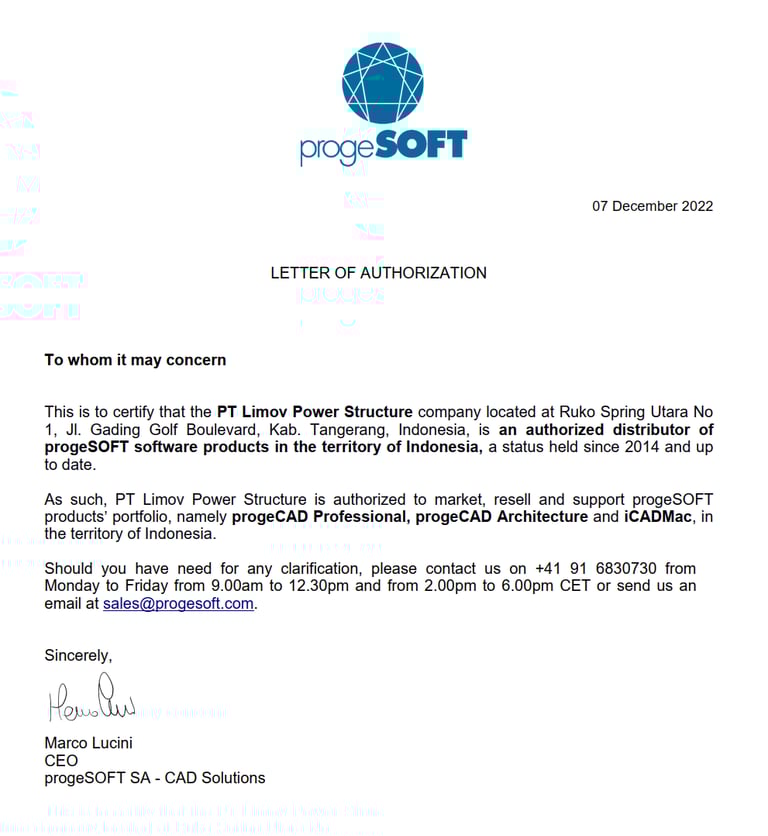
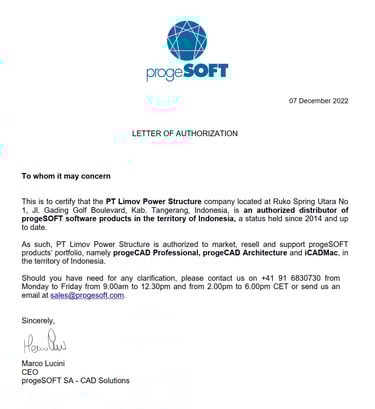
LIMOV has been holding the status of progeCAD Authorized Distributor for Indonesia since 2014. We are equally committed to both our customers and our principals, progeSOFT SA. Our after-sales service team is directly backed up by our principal so that we can give you the best and fastest support. When you buy progeCAD or iCADMac from LIMOV, you don’t have to worry about losing your license due to PC operating system error or hardware failure.
Best Value Perpetual License .DWG CAD
Quick Links
Indonesia Distributor
Follow Us
PT Limov Power Structure
Ruko Spring Utara No. 1, Jl. Gading Golf Boulevard, Summarecon Serpong, Banten 15332, Indonesia
+62 821-7583-7780
info@limovpower.com
Get the latest update about our CAD Technology.
© 2026 PROGECAD. All rights reserved.